42 khái niệm nâng cao — Async, JWT, Docker, Cloud, Testing
Phần 2 từ điển AI Coding: 42 khái niệm nâng cao chia 6 nhóm — Programming patterns, AI advanced, Performance & UX, Auth & DevOps, Cloud & Deployment, Testing & Quality. Tiếp nối '32 khái niệm cơ bản' với những thứ bạn gặp sâu hơn khi build production.
Mục lục bài viết(53)
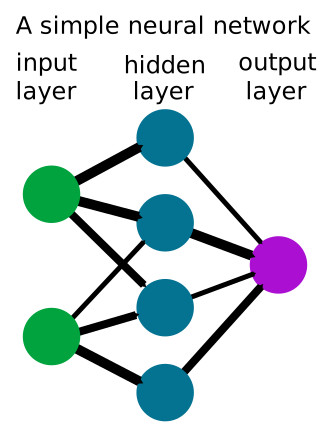
28 khái niệm nâng cao chia 4 nhóm: Programming patterns (Async/Promise, Closure...), AI advanced (MCP, Vector DB, Embedding), Performance & UX (Web Vitals, Caching), Auth & DevOps (JWT, OAuth, Docker). Tiếp nối từ 32 khái niệm cơ bản. Nguồn: Wikimedia Commons (CC BY-SA 4.0).
Tại sao có bài này
Bài 32 khái niệm cơ bản đủ để bạn hiểu báo giá + review code AI gen. Khi bắt đầu build dự án thật (production, SaaS, app có user thực), bạn gặp 28 concept sâu hơn — bài này list từng cái.
Pattern đọc: scan tiêu đề, chỉ đọc kỹ phần liên quan task đang làm. KHÔNG cần thuộc lòng.
Nhóm H — Programming patterns
Async / Await / Promise
3 pattern JavaScript xử lý task không đồng bộ (asynchronous — không chờ kết quả ngay):
// Promise — pattern cơ bản
fetch("/api/user")
  .then(response => response.json())
  .then(data => console.log(data))
  .catch(err => console.error(err));

// Async / Await — syntax sugar cho Promise (dễ đọc hơn)
async function getUser() {
  try {
    const response = await fetch("/api/user");
    const data = await response.json();
    console.log(data);
  } catch (err) {
    console.error(err);
  }
}
Promise là "object hứa hẹn" sẽ có giá trị sau (pending → resolved/rejected). Async/Await là cú pháp viết Promise nhìn như code đồng bộ.
Ví dụ thực tế: Khi bạn mở Tiki, app cần lấy 6 thứ song song: banner ad, sản phẩm hot, giỏ hàng, thông báo, profile, voucher. Code dùng Promise.all([...]) để chờ TẤT CẢ trả về cùng lúc thay vì gọi tuần tự — Tiki home load 800ms thay vì 4-5 giây.
Khi nào bạn gặp: Mọi API call (fetch), file I/O, DB query trong AI gen code đều dùng async/await. 99% code Node.js + frontend 2026.
Callback
Pattern cũ hơn Promise — hàm gọi hàm khác khi xong việc.
// Callback — pattern cũ
fs.readFile("data.txt", "utf8", (err, content) => {
  if (err) throw err;
  console.log(content);
});

// Pattern callback hell (lồng nhau quá nhiều)
loginUser((user) => {
  fetchOrders(user.id, (orders) => {
    enrichWithProducts(orders, (orders) => {
      sendEmail(user.email, orders, (success) => {
        console.log("Done!");
      });
    });
  });
});
Ví dụ thực tế: Đội kỹ thuật BTB nhận dự án fix bug 1 app Node.js cũ năm 2016 — đăng nhập rồi load 5 lần mới ra trang chính. Mở code lên thấy 4 tầng callback lồng nhau cho login + check role + fetch profile + log analytics. Refactor sang async/await: code rút từ 80 dòng còn 30 dòng, bug "load 5 lần" biến mất luôn.
Khi nào bạn gặp: Code legacy (cũ kế thừa) từ trước 2017, một số API node.js core (fs, http). AI gen hiếm dùng callback hell.
Closure
Hàm "ghi nhớ" biến từ scope (phạm vi) chứa nó — kể cả khi scope ngoài đã kết thúc.
function counter() {
  let count = 0;
  return function() {
    count++;
    return count;
  };
}

const c = counter();
c(); // 1
c(); // 2
c(); // 3 — biến `count` vẫn được giữ trong closure
Ví dụ thực tế: Khi bạn gõ tìm sản phẩm trên Shopee, app KHÔNG gọi API mỗi lần bạn gõ 1 chữ — sẽ tốn 10-15 request 1 giây. Dev dùng debounce closure: hàm chờ bạn ngừng gõ 300ms mới gọi API search. Closure "ghi nhớ" timer giữa các lần gõ — nếu chưa đủ 300ms thì cancel timer cũ, đặt timer mới. Search Shopee chỉ gọi API 1 lần khi bạn type xong.
Khi nào bạn gặp: Mọi React hook (useState, useEffect) là closure. Event handler, debounce, throttle dùng closure. Lý thuyết JS cốt lõi.
Pure function vs Side effect
Pure function = output chỉ phụ thuộc input, KHÔNG đổi state ngoài.
// Pure ✅
function add(a, b) {
  return a + b; // Cùng input → cùng output, không ảnh hưởng gì khác
}

// Side effect ❌ (có thể là intentional, không phải sai)
let total = 0;
function addToTotal(n) {
  total += n; // Đổi biến ngoài → side effect
}
Ví dụ thực tế: VietCodex viết function tinhPhiShip(weight, distance, voucher) ở app giao hàng — đây là pure: cùng input 5kg + 10km + voucher 10k → luôn ra 35.000đ. Test 50 case trong 0.1 giây vì không cần DB hay API. Ngược lại, function guiEmailXacNhan(orderId) là side effect (gửi email Gmail SMTP), không test thẳng được — phải mock. Pure function dễ test 10x hơn.
Khi nào bạn gặp: Functional programming, React (component nên pure), unit test (pure function dễ test). AI gen ưu tiên pure function cho code business logic.
Immutability
KHÔNG sửa data gốc — luôn tạo copy mới với thay đổi.
// Mutable (sửa gốc) — DỄ TẠO BUG
const user = { name: "An", age: 25 };
user.age = 26; // Sửa trực tiếp

// Immutable (copy ra mới) — AN TOÀN
const updatedUser = { ...user, age: 26 };
// user vẫn { name: "An", age: 25 }
// updatedUser = { name: "An", age: 26 }
Ví dụ thực tế: App quản lý đơn hàng admin BTB có bug: thêm 1 link vào đơn → cả danh sách đơn cũ cũng update theo. Lý do: dev sửa trực tiếp order.links.push(newLink) → React không re-render vì reference object cũ vẫn vậy. Fix: setOrder({ ...order, links: [...order.links, newLink] }) — tạo object mới hoàn toàn. Bug biến mất, React render đúng đơn vừa sửa.
Khi nào bạn gặp: React state phải immutable (setState với object mới). Redux/Zustand reducer. AI gen code 2026 default immutable pattern.
Array / Object / Map / Set
4 data structure cơ bản:
| Loại | Mô tả | Khi dùng |
|---|---|---|
| Array | Danh sách thứ tự [1, 2, 3] | List item, sequence |
| Object | Cặp key-value {name: "An"} | Record có nhiều thuộc tính |
| Map | Object có order + key bất kỳ | Khi cần performance lookup |
| Set | Array nhưng KHÔNG cho phép trùng | Khi cần "unique list" |
// Array
const colors = ["red", "green", "blue"];
colors.push("yellow");

// Object
const user = { name: "An", age: 25 };
user.email = "[email protected]";

// Map
const userMap = new Map();
userMap.set("user-123", { name: "An" });
userMap.get("user-123");

// Set
const uniqueIds = new Set([1, 2, 2, 3, 3]); // → {1, 2, 3}
Ví dụ thực tế: Khi bạn add nhiều sản phẩm vào giỏ hàng Lazada cùng SKU, app chỉ tăng số lượng thay vì tạo dòng mới — đó là dùng Map<sku, quantity>. Lúc bạn share link sản phẩm vào nhóm Zalo 5 người cùng click, BE lưu unique viewer dùng Set<userId> để đếm view không trùng. Array thì dùng cho danh sách bài blog hiển thị thứ tự xuất bản trên BTB.
Khi nào bạn gặp: Mọi code đều dùng Array + Object. Map khi Object không đủ (key non-string). Set khi cần dedupe (loại trùng).
Pub/Sub pattern
Pub/Sub (Publisher/Subscriber) = thay vì A gọi B trực tiếp, A "publish" event vào channel, B "subscribe" channel đó. Loose coupling (giảm phụ thuộc).
// Pattern: EventEmitter (built-in Node.js)
const events = require("events");
const emitter = new events.EventEmitter();

// Subscriber: lắng nghe event
emitter.on("order:created", (order) => {
  sendConfirmEmail(order);
  updateInventory(order);
});

// Publisher: phát event
emitter.emit("order:created", { id: 123, total: 250000 });
Ví dụ thực tế: Khi bạn đặt 1 đơn ShopeeFood, 1 sự kiện order:created được publish → 5 service subscribe cùng lúc: gửi push notification cho shipper gần nhất, trừ stock của quán, log doanh thu, gửi email biên lai, cập nhật dashboard merchant. Nếu code thẳng thì 5 lệnh phải sequence; pub/sub cho phép parallel và thêm/bớt service mới không cần sửa lõi đặt đơn.
Khi nào bạn gặp: Microservice (event-driven), realtime app (WebSocket), Redis Pub/Sub. AI gen system event-driven có pattern này.
MVC / MVVM
Architectural pattern phân chia code:
MVC (Model-View-Controller):
- Model — data + business logic (DB, validation)
- View — UI hiển thị
- Controller — nhận user input, gọi Model, update View
MVVM (Model-View-ViewModel) — biến thể MVC, ViewModel làm "binding" giữa Model và View.
Ví dụ thực tế: App admin của Vinahost build bằng Laravel theo MVC chuẩn — OrderController nhận POST tạo đơn, gọi OrderModel validate + lưu DB, redirect về order.show view render bảng. Khi VietCodex port app này sang Next.js App Router, không còn Controller riêng nữa — Server Action vừa nhận form vừa lưu DB vừa revalidate. Dev quen MVC mất 1-2 tuần làm quen pattern mới của Next.js.
Khi nào bạn gặp: Laravel, Django, Rails dùng MVC. Vue.js dùng MVVM. Next.js App Router là pattern khác (component-based, không strict MVC). AI gen Next.js không follow MVC chặt.
Nhóm I — AI advanced
MCP (Model Context Protocol)
Standard Anthropic ra 2024 — cho AI tool kết nối với data source bên ngoài (DB, GitHub, Slack, Notion).
Claude Code  ←──MCP server──→  Postgres DB
                     ↑
                     │
            GitHub MCP server
                     │
            Notion MCP server
Ví dụ: Bạn gõ trong Claude Code: "Hỏi DB: top 10 user có nhiều đơn nhất". Claude qua MCP Postgres server chạy SQL, trả kết quả về.
Public MCP server 2026 (100+):
- @modelcontextprotocol/server-github
- @modelcontextprotocol/server-postgres
- @modelcontextprotocol/server-filesystem
- @notion/notion-mcp
- @linear/linear-mcp
Cài đặt: npm install server → config trong Claude Code → reload.
Ví dụ thực tế: VietCodex dùng Claude Code + MCP server Postgres để query DB qua chat: bạn gõ "Hỏi DB: top 10 customer có doanh thu cao nhất tháng này". Claude tự kết nối Postgres qua MCP server, chạy SQL, format kết quả thành bảng — không cần dev viết script. Setup 1 lần, dùng cả năm.
Khi nào bạn gặp: Workflow AI Coding nâng cao. Khi bạn muốn AI có access tới hệ thống công ty, MCP là cách "official" 2026.
Vector database
DB chuyên lưu embedding (chuỗi số biểu diễn ý nghĩa text/image) để search semantic (theo ý nghĩa thay vì keyword).
Ví dụ workflow:
- Bạn có 1000 bài blog (text)
- Mỗi bài chuyển thành embedding (vector 1536 chiều) via OpenAI embedding API
- Lưu vector + bài blog vào Vector DB
- User search "cách build SaaS rẻ" → query chuyển embedding → search Vector DB → trả bài "Build MVP với $80 ngân sách" (semantic match, không cần từ chính xác)
Vector DB phổ biến 2026:
| DB | Hosting | Phù hợp |
|---|---|---|
| pgvector (Postgres extension) | Tự host, Supabase | Đã có Postgres |
| Pinecone | Cloud only | Production, scale lớn |
| Weaviate | Tự host hoặc cloud | Open-source, flexible |
| Chroma | Local hoặc cloud | Development, prototype |
| Qdrant | Tự host hoặc cloud | Performance |
Ví dụ thực tế: BTB có 200 bài blog về SEO. Khi khách hỏi qua chat "có dịch vụ entity stacking không?", chatbot không search theo keyword "entity stacking" (sẽ miss bài viết "Xây social profile authority") — mà nhúng câu hỏi thành vector qua OpenAI embedding, search trong pgvector lưu 200 bài, trả về 3 bài có ý nghĩa gần nhất. Kết quả khách thấy đáp án trong 200ms thay vì phải đọc 200 bài.
Khi nào bạn gặp: RAG — AI trả lời dựa trên tài liệu công ty bạn, AI search trong wiki nội bộ.
Vector embedding
Mảng số (thường 768-3072 chiều) biểu diễn ý nghĩa của text/image. Text giống nhau về ý → vector gần nhau trong không gian nhiều chiều.
# OpenAI embedding API
embedding = openai.embeddings.create(
    input="Cách build SaaS với AI",
    model="text-embedding-3-small"
)
# Trả về: [0.013, -0.027, 0.142, ..., 0.083]  # 1536 số
Ví dụ thực tế: Khi bạn xem 1 video TikTok về "công thức nấu phở", thuật toán convert video đó thành embedding 768 số. Vector này gần với embedding của các video "bún bò Huế", "hủ tiếu Nam Vang" hơn là video "review iPhone". 5 phút sau feed của bạn tràn ngập video món Việt — chính là Vector embedding so sánh độ tương đồng trong không gian 768 chiều.
Khi nào bạn gặp: Build RAG, semantic search engine, recommendation. Bài LLM là gì phần RAG có nhắc.
System prompt vs User prompt
2 cấp prompt khi gọi LLM:
System prompt: "Bạn là expert content marketing VN, viết bài chuẩn SEO
                cho audience non-tech. Luôn dùng 'bạn', không emoji."

User prompt: "Viết bài 'Hosting là gì'"

LLM kết hợp cả 2 → output theo style System + nội dung User.
Ví dụ thực tế: Chatbot tư vấn Momo có System prompt fix sẵn: "Bạn là trợ lý Momo, luôn xưng 'Momo', chỉ trả lời về dịch vụ thanh toán/chuyển tiền/hoá đơn, không bao giờ nói về đối thủ ZaloPay." User chỉ thấy ô chat gõ câu hỏi của mình. Cùng câu hỏi "phí chuyển tiền bao nhiêu" gửi qua ChatGPT thường → trả lời chung chung; gửi qua Momo chatbot → trả về biểu phí Momo cụ thể vì System prompt đã ràng buộc context.
Khi nào bạn gặp: Lập app dùng LLM API. System prompt = config style toàn app. User prompt = input từng user. Chat UI thấy "system" hidden, user chỉ thấy "user prompt".
Streaming response
LLM trả lời từng token một thay vì đợi xong rồi gửi tất cả. User thấy text "chạy ra" như ChatGPT.
// Streaming với Anthropic SDK
const stream = await anthropic.messages.create({
  model: "claude-sonnet-4-6",
  messages: [...],
  stream: true,
});

for await (const event of stream) {
  if (event.type === "content_block_delta") {
    process.stdout.write(event.delta.text); // In từng token ngay
  }
}
Ví dụ thực tế: Khi bạn hỏi ChatGPT "viết email xin lỗi khách hàng", chữ "Kính" hiện ra trong 0.5 giây đầu rồi gõ tiếp từng câu — đó là streaming. Nếu không có streaming, bạn sẽ thấy màn hình trắng 8-15 giây rồi nhảy ra cả đoạn 200 chữ một lúc. Tỉ lệ user nhấn nút "Stop" tăng 3x khi không có streaming vì cảm giác "treo".
Khi nào bạn gặp: Build chat app với AI. Streaming UX tốt hơn 5-10x vs đợi full response (user không thấy "loading" lâu).
Function calling / Tool use
LLM tự gọi function thật (code dev viết) khi cần. Là cốt lõi của agent.
// Dev định nghĩa tool
const tools = [
  {
    name: "get_weather",
    description: "Get weather for a city",
    input_schema: { city: "string" },
  },
];

// LLM call
const response = await anthropic.messages.create({
  messages: [{ role: "user", content: "Thời tiết Hà Nội?" }],
  tools,
});

// LLM auto-decide: gọi get_weather("Hà Nội")
// Dev chạy function thật → trả result về LLM → LLM tóm tắt
Ví dụ thực tế: Bạn hỏi Claude Code "đơn hàng ID 123 trên app BTB đang status gì?" — AI tự động quyết định gọi tool query_db(sql) với câu SQL SELECT status FROM orders WHERE id=123, nhận về "PENDING", rồi trả lời tự nhiên: "Đơn 123 đang ở trạng thái Chờ xử lý, được tạo lúc 14h hôm nay." Dev định nghĩa tool 1 lần, AI tự quyết khi nào gọi và với tham số gì.
Khi nào bạn gặp: Build AI agent (như Claude Code làm). MCP dưới hood là function calling structured.
Nhóm J — Performance & UX
Web Vitals
4 chỉ số Google đo trải nghiệm load web (Core Web Vitals).
| Chỉ số | Tên đầy đủ | Target tốt | Đo gì |
|---|---|---|---|
| LCP | Largest Contentful Paint | < 2.5s | Khi nội dung chính (heading + ảnh hero) hiện ra |
| CLS | Cumulative Layout Shift | < 0.1 | Trang có "nhảy" layout khi load không |
| INP | Interaction to Next Paint | < 200ms | Phản hồi khi user click/scroll (thay FID từ 2024) |
| TTFB | Time To First Byte | < 800ms | Server response đầu tiên về browser |
Đo: Google PageSpeed Insights (free), Lighthouse trong Chrome DevTools, Vercel Speed Insights.
Ví dụ thực tế: VietCodex audit web 1 khách shop thời trang trên Shopify — PageSpeed báo LCP 4.8s (cần < 2.5s) vì banner hero ảnh 3MB không tối ưu, CLS 0.35 (cần < 0.1) vì popup voucher nhảy ra làm xô nội dung sau khi load 2 giây. Fix: nén ảnh hero còn 180KB + reserve placeholder cho popup → LCP còn 1.9s, CLS còn 0.05, ranking Google sản phẩm tăng 4 bậc trong 2 tuần.
Khi nào bạn gặp: Tối ưu SEO (Google rank theo Web Vitals từ 2021), audit web chậm.
Lazy loading
Chỉ load asset (ảnh, JS) khi user thực sự cần — tiết kiệm bandwidth + tăng tốc load đầu.
<!-- Native lazy load ảnh -->
<img src="hero.jpg" loading="lazy" alt="..." />

<!-- React lazy load component -->
const Dashboard = lazy(() => import("./Dashboard"));
Lazy load patterns:
- Image lazy (load khi scroll tới)
- Component lazy (load khi user click tab)
- Route lazy (load page chỉ khi navigate)
- Library lazy (load chart library chỉ ở dashboard)
Ví dụ thực tế: Trang chủ Tiki có 200+ thumbnail sản phẩm — nếu load full thì initial bandwidth 8-10MB. Tiki dùng lazy loading: chỉ tải 12 thumbnail màn hình đầu (~600KB), bạn scroll xuống mới tải tiếp 12 cái mới. Mobile 4G load home Tiki còn 1.2 giây thay vì 6-7 giây. Tag HTML đơn giản <img loading="lazy"> mà tiết kiệm 85% bandwidth.
Khi nào bạn gặp: Web nhiều ảnh (e-commerce, blog), app có dashboard nặng. AI gen sẽ tự lazy load nếu prompt yêu cầu performance.
Code splitting
Chia bundle JS lớn thành nhiều bundle nhỏ — browser chỉ tải bundle cần cho trang hiện tại.
Trước (1 bundle 2MB):
- Homepage tải 2MB
- About page tải 2MB
- Dashboard tải 2MB

Sau code splitting (bundle theo route):
- Homepage tải 300KB (home + shared)
- About page tải 320KB (about + shared)
- Dashboard tải 800KB (dashboard nặng + shared)
Ví dụ thực tế: App admin BTB có dashboard nặng (chart Recharts + table 100 cột + drag-drop reorder) — bundle full 3.2MB. Nhưng trang login chỉ cần form đơn giản, không lý do gì tải Recharts. Sau code splitting bằng Next.js: login chỉ tải 280KB, vào dashboard mới tải thêm 1.1MB lib chart. Staff đăng nhập từ 4G điện thoại load login nhanh 4-5x, không bị "trắng màn hình" 8 giây.
Khi nào bạn gặp: Next.js + React Router tự code split theo route. Build tool (Vite, Turbopack) làm tự động. Vẫn cần biết để debug khi bundle to bất thường.
Caching
Bộ đệm lưu data tạm để tăng tốc. 3 lớp chính:
| Lớp | Lưu ở | TTL phổ biến | Use case |
|---|---|---|---|
| Browser cache | RAM/disk user | 1 giờ - 1 năm | CSS, JS, ảnh static |
| CDN cache | Edge server (Cloudflare) | 1 phút - 1 ngày | HTML static, API GET |
| Server cache | Redis, Memcached | 1 phút - 1 giờ | Kết quả DB query đắt |
| Database cache | Trong DB engine | Auto | Query result, index |
Cache invalidation (xoá cache khi data đổi) — vấn đề khó nhất:
- TTL-based: cache hết hạn sau N giây
- Tag-based: gắn tag, xoá cache theo tag khi data đổi
- Manual: dev gọi API xoá khi update
Ví dụ thực tế: Trang bảng giá BTB hiển thị 20 gói dịch vụ — dữ liệu này 1 tháng mới đổi 1 lần. Trước khi cache: mỗi page view query Postgres ~80ms × 5000 view/ngày = tốn DB. Sau khi thêm Redis cache TTL 1 giờ: 99% request trả về trong 2ms, DB chỉ bị hit 24 lần/ngày. Khi admin update giá, gọi API xoá cache theo tag pricing → user lần kế tiếp thấy giá mới ngay.
Khi nào bạn gặp: Web chậm — bước đầu fix là thêm cache. AI gen API thường có cache headers (Cache-Control, ETag).
CDN (Content Delivery Network)
Mạng server edge phân bố toàn cầu cache static asset. User ở VN gọi vietcodex.com → CDN edge VN trả về thay vì US server.
Lợi ích:
- Tốc độ: 10-100ms thay vì 200-500ms từ US
- Giảm tải server gốc
- DDoS protection
- SSL miễn phí (Cloudflare)
CDN phổ biến:
| CDN | Free tier | Best for |
|---|---|---|
| Cloudflare | Unlimited bandwidth, generous | Default cho 90% dự án |
| AWS CloudFront | Free tier limited | Đã có AWS infrastructure |
| Fastly | Free trial | Performance đỉnh, doanh nghiệp |
| Vercel Edge | Tự động với Vercel | Next.js dự án |
Ví dụ thực tế: Web vietcodex.com server đặt ở US (Vercel). Khách Việt Nam mở trang KHÔNG phải chờ request bay 18.000km về US — Cloudflare có edge node ở HCM, file CSS/JS/ảnh đã cache sẵn ở đó từ user trước. Kết quả: TTFB từ VN còn 45ms thay vì 280ms qua direct origin. Free plan Cloudflare unlimited bandwidth tiết kiệm 100% chi phí băng thông origin cho lưu lượng VN.
Khi nào bạn gặp: Setup web. Mặc định bật Cloudflare proxy (orange cloud) cho mọi domain — đã đủ CDN cơ bản miễn phí.
TTFB (Time To First Byte)
Thời gian từ khi browser gửi request đến khi nhận byte đầu tiên từ server. Là chỉ số đo tốc độ server, không phải toàn bộ web.
Target:
- < 200ms: tốt
- 200-800ms: chấp nhận
-
800ms: chậm, cần fix
Fix TTFB cao:
- Tối ưu DB query (index, query plan)
- Cache result ở Redis
- Move server gần user (CDN, multi-region)
- Upgrade server tier
Ví dụ thực tế: 1 khách báo VietCodex: web bán đồ điện tử "trắng màn 3 giây mới ra chữ". Audit thấy TTFB 2.4s — quá cao. Mở log DB phát hiện query SELECT * FROM products WHERE category='laptop' quét 50.000 dòng không có index. Add CREATE INDEX idx_category ON products(category) → TTFB rớt còn 180ms. Conversion rate tăng 12% sau 1 tuần vì user không bỏ trang giữa chừng.
Khi nào bạn gặp: Web "trắng" lâu mới hiện text — TTFB cao. Google PageSpeed báo TTFB trong Core Web Vitals.
Nhóm K — Auth & DevOps
JWT (JSON Web Token)
Token chuỗi ký tự encode toàn bộ user info, không cần lookup DB.
JWT 3 phần (cách nhau bởi dấu chấm):
  Header.Payload.Signature

eyJhbGciOiJIUzI1NiJ9.eyJ1c2VySWQiOjEyMywiZXhwIjoxNzMzMDAwMDAwfQ.abc123signature

Decode payload:
{
  "userId": 123,
  "role": "admin",
  "exp": 1733000000
}
Lợi:
- Stateless — server không cần lưu session
- Cross-service — gửi qua microservice dễ
- Mobile app hỗ trợ tốt
Nhược:
- Khó revoke (phải có blacklist)
- Lộ → mới hết hạn mới hết tác dụng
- Lớn hơn session ID (100-1000 byte vs 32 byte)
Ví dụ thực tế: Khi bạn login Zalo Web, server trả 1 JWT token ~500 ký tự lưu trong LocalStorage. Mỗi lần load tin nhắn, app gửi JWT trong header Authorization: Bearer eyJhbGc... — server decode token thấy userId: 123, không cần query DB lookup session. Tốc độ nhanh hơn session 30-50%, nhưng token này nếu lộ là toi đến khi hết hạn.
Khi nào bạn gặp: Mobile app + API, microservice, single-page app. 30% web 2026 dùng JWT.
OAuth flow
Pattern "đăng nhập qua bên thứ ba" (Google, Facebook, GitHub) — bạn không trao password.
Authorization Code Flow (chuẩn):
1. User bấm "Login với Google" trên vietcodex.com
   → vietcodex.com redirect → Google authorize page

2. User chọn account, accept permissions
   → Google redirect về vietcodex.com/callback?code=ABC123

3. vietcodex.com server gửi `code=ABC123` + client_secret → Google
   → Google trả access_token + refresh_token + user info

4. vietcodex.com lưu user (tạo nếu mới), set session cookie
   → User đã login
Ví dụ thực tế: Khi bạn bấm "Đăng nhập bằng Google" trên Canva để dùng template thiết kế — Canva redirect bạn sang Google, bạn chọn Gmail + accept quyền (đọc email + tên), Google ném bạn về Canva kèm 1 mã code. Canva backend đổi code lấy access_token từ Google, lưu Gmail bạn làm tài khoản Canva. Bạn KHÔNG bao giờ phải gõ password Gmail vào Canva — Canva chỉ biết tên + email, không có quyền đọc mail bạn.
Khi nào bạn gặp: "Login with Google/Facebook/GitHub" button. NextAuth.js, Clerk, Supabase Auth handle phần phức tạp.
Session vs Token auth
2 cách giữ user "đã login":
| Session | Token (JWT) | |
|---|---|---|
| State ở đâu | Server (DB hoặc Redis) | Client (cookie/localStorage) |
| Token user có | Session ID (32 byte) | JWT (~500 byte) |
| Revoke | Dễ (xoá session DB) | Khó (cần blacklist) |
| Cross-domain | Khó | Dễ |
| Phù hợp | Web monolith | Microservice, mobile app |
Pattern phổ biến 2026:
- Web SaaS đơn giản → Session
- Mobile app → JWT
- Microservice → JWT
- Web có cả browser + mobile → cả 2 (cookie cho web, JWT cho mobile)
Ví dụ thực tế: Tài khoản admin BTB dùng session cookie 30 ngày — khi staff bị nghỉ việc, admin xoá 1 dòng trong bảng sessions Redis → laptop nhân viên cũ logout ngay lập tức. Ngược lại, app Grab tài xế dùng JWT vì cài trên hàng ngàn điện thoại — nếu cần block 1 tài xế gian lận, Grab phải push token vào blacklist Redis kiểm tra mỗi request (overhead cao hơn session truyền thống một chút).
2FA / MFA
2FA (Two-Factor Authentication) = đăng nhập cần 2 thứ:
- Cái biết: password
- Cái có: code SMS, app authenticator (Google Authenticator, Authy), hardware key (YubiKey)
- Cái là: vân tay, face ID
MFA (Multi-Factor) = nhiều hơn 2 factor.
Pattern phổ biến:
- Email + password + TOTP code (6 số đổi mỗi 30 giây)
- Email + magic link (không password)
- SSO + biometric
Ví dụ thực tế: Khi bạn login VNPay hoặc app Vietcombank trên máy mới — sau khi gõ password, app yêu cầu nhập mã OTP 6 số gửi về SMS hoặc Smart OTP trong 30 giây. Đó là 2FA: "cái biết" (password) + "cái có" (điện thoại của bạn). Nếu kẻ xấu lấy được password qua phishing nhưng không có SIM bạn → không vào được tài khoản. VNPay block 99% vụ chiếm dụng tài khoản nhờ 2FA.
Khi nào bạn gặp: App có data sensitive (ngân hàng, sức khoẻ), admin panel. AI gen 2FA flow khi prompt yêu cầu security.
Password hashing
LƯU password đã hash, KHÔNG bao giờ lưu plain text.
// SAI ❌ — lưu plain text
db.users.insert({ email, password: "matkhau123" });

// ĐÚNG ✅ — hash trước khi lưu
import bcrypt from "bcrypt";
const hash = await bcrypt.hash("matkhau123", 10);
db.users.insert({ email, password_hash: hash });

// Login: so sánh hash
const user = db.users.findOne({ email });
const valid = await bcrypt.compare("matkhau123", user.password_hash);
Thuật toán đề xuất 2026:
- bcrypt (cũ nhưng đủ tốt)
- argon2 (mới hơn, OWASP recommend)
- scrypt (Node.js built-in)
KHÔNG dùng: MD5, SHA-1 cho password (quá nhanh, dễ brute force).
Ví dụ thực tế: Năm 2018 vụ rò rỉ DB của 1 forum lớn VN — 5 triệu password leak ra mạng vì lưu plain text. Hacker thử same password trên Gmail/Facebook user đó → chiếm rất nhiều tài khoản phụ. Nếu forum đó dùng bcrypt với cost 10, hacker lấy DB cũng chỉ thấy $2b$10$abcdef... — brute force 1 password mất ~300ms, crack 5 triệu password mất ~50 năm. Đó là lý do mọi app BTB/VietCodex hash password bằng bcrypt trước khi insert DB.
Khi nào bạn gặp: Mọi app có login. AI gen auth flow tự dùng bcrypt/argon2.
Docker / Container
Container = môi trường ảo nhẹ đóng gói app + dependency + config — chạy được trên bất cứ máy nào có Docker.
# Dockerfile — recipe build container
FROM node:22-alpine
WORKDIR /app
COPY package.json .
RUN npm install
COPY . .
EXPOSE 3000
CMD ["npm", "start"]
# Build + run
$ docker build -t myapp .
$ docker run -p 3000:3000 myappLợi:
- "Works on my machine" = works on prod (cùng môi trường)
- Deploy đa môi trường: local, staging, prod
- Microservice — mỗi service 1 container
Nhược:
- Overhead (container vẫn cần Linux kernel)
- Learning curve (tuần đầu khó)
Ví dụ thực tế: Backend Node.js của VietCodex chạy trên homeserver qua Docker container. Khi push code mới, GitHub Actions build Docker image → deploy lên server → restart container (downtime 2-3s). Trước khi có Docker, dev phải SSH vào server, npm install, restart PM2 — mỗi deploy mất 5-10 phút và dễ bị "works on my machine".
Khi nào bạn gặp: Deploy backend Node/Python/Go. Self-host service. VietCodex deploy app chính qua Docker (xem project deployment).
Reverse proxy
Server ở giữa user và app — nhận request, chuyển tiếp tới app phù hợp.
User → Cloudflare → Nginx (reverse proxy)
                          ├→ Web app (port 3000)
                          ├→ API server (port 4000)
                          ├→ WebSocket server (port 5000)
                          └→ Static files (Nginx serve trực tiếp)
Lợi ích:
- 1 domain → nhiều service backend
- SSL termination (Nginx handle HTTPS, app chỉ HTTP)
- Load balancing
- Caching static
- Rate limiting
Tool phổ biến:
- Nginx — phổ biến nhất, mature
- Caddy — modern, auto HTTPS
- Traefik — Docker-native
- HAProxy — load balance cấp cao
Ví dụ thực tế: Homeserver BTB chạy 8 service khác nhau (web chính, admin app, blog, n8n, Postgres GUI, file storage...) nhưng chỉ có 1 IP public. Nginx Proxy Manager đứng ở giữa: bạn vào app.backlinkthaibinh.com.vn → NPM route tới container app:3002; vào n8n.backlinkthaibinh.com.vn → route tới container n8n:5678. SSL Let's Encrypt auto-renew cho cả 8 subdomain — config 1 lần, NPM handle hết.
Khi nào bạn gặp: Self-host nhiều service, microservice architecture. Vercel/Netlify ẩn reverse proxy ở sau.
Load balancer
Chia traffic giữa nhiều server backend — không 1 server nào bị quá tải.
                 ┌─→ Server A (10% CPU)
User → LB ──────┼─→ Server B (45% CPU)
                 └─→ Server C (35% CPU)

LB chọn Server có CPU thấp nhất → route request đó.
Algorithms phổ biến:
- Round-robin — đều cho từng server
- Least connection — chọn server ít connection nhất
- IP hash — same user → same server (cho session sticky)
- Geographic — gần user nhất (Cloudflare làm)
Ví dụ thực tế: Mỗi lần Shopee chạy sale 11.11, traffic peak 100k user/giây — 1 server không gánh nổi. Shopee có hàng trăm server backend đặt sau Load Balancer: LB nhìn server nào CPU thấp nhất thì route request bạn vào server đó. Bạn không bao giờ biết mình đang nói chuyện với server nào. Nếu 1 server crash, LB tự loại nó khỏi pool trong 5 giây, request user khác không bị ảnh hưởng.
Khi nào bạn gặp: App scale > 1 server. AWS ALB, Cloudflare Load Balancer, Nginx. < 10k user/giờ thường không cần.
Nhóm L — Cloud & Deployment
Cloud provider (AWS / GCP / Azure / Cloudflare)
4 nhà cung cấp cloud lớn nhất 2026:
| Provider | Mạnh ở | Phù hợp | Giá free tier |
|---|---|---|---|
| AWS (Amazon) | Đa năng, mature, 200+ service | Doanh nghiệp lớn, SaaS B2B | $300 credit năm đầu |
| GCP (Google) | AI/ML, BigQuery, Kubernetes | Data-heavy, ML pipeline | $300 credit + always free tier |
| Azure (Microsoft) | Enterprise, .NET, Office365 integration | Doanh nghiệp dùng Microsoft stack | $200 credit |
| Cloudflare | Edge network, CDN, DDoS, R2 storage | Startup, web tĩnh, edge function | Unlimited bandwidth |
Ví dụ thực tế: VietCodex stack 2026: domain + DNS + CDN ở Cloudflare (free), deploy Next.js ở Vercel (built on AWS), DB ở Supabase (built on AWS), backend Docker ở Hetzner VPS ($5/tháng). 4 provider khác nhau, gắn kết qua API. Pattern "best of breed" thay vì "all-AWS lock-in".
Khi nào bạn gặp: Mọi deploy SaaS. Lựa chọn cloud quyết định chi phí + flexibility lâu dài.
Serverless function
Function chạy "không cần server" — bạn chỉ viết code logic, cloud lo việc spawn container/scale.
// Cloudflare Worker (serverless)
export default {
  async fetch(request) {
    return new Response("Hello từ edge!");
  }
};
Tool phổ biến 2026:
- Cloudflare Workers ($0 cho 100k request/ngày)
- AWS Lambda ($0.20 cho 1M request)
- Vercel Functions (built-in với Next.js)
- Supabase Edge Functions (Deno-based)
Ví dụ thực tế: Webhook nhận callback VNPay sau thanh toán — chỉ chạy 100ms mỗi đơn → dùng Cloudflare Worker $0/tháng cho 100k đơn đầu, so với VPS $5/tháng chạy 24/7 (lãng phí 99% thời gian). Pattern: webhook + cron + auth callback đều phù hợp serverless.
Khi nào bạn gặp: Webhook integration, cron job nhẹ, image processing on-demand, AI inference function.
S3 / Object storage
Cloud storage lưu file binary (ảnh, video, PDF). Không phải database — không query SQL được, chỉ upload/download/list/delete.
| Service | Giá / GB / tháng | Bandwidth out | Tốt nhất cho |
|---|---|---|---|
| AWS S3 | $0.023 | $0.09/GB | Default enterprise |
| Cloudflare R2 | $0.015 | $0 (free egress) | Save tiền nếu nhiều download |
| Backblaze B2 | $0.005 | $0.01/GB | Cheapest cold storage |
| Supabase Storage | $0.021 | Auto via CDN | All-in-one stack |
Ví dụ thực tế: BTB lưu ảnh blog (200 ảnh × 200KB = 40MB) trên Supabase Storage (free tier 1GB). Khi scale lên 5k ảnh, chuyển sang Cloudflare R2 — vì BTB blog có 100k visit/tháng → bandwidth out $30/tháng (S3) vs $0 (R2). Tiết kiệm $360/năm chỉ bằng đổi provider.
Khi nào bạn gặp: Web có upload (avatar, blog image, document), video platform, e-commerce ảnh sản phẩm.
Edge runtime
Code chạy ở data center GẦN USER (edge) thay vì 1 region duy nhất. Cloudflare có 300+ edge ở 100+ thành phố — Hà Nội + TP HCM có edge.
// Edge function (chạy gần user)
export const config = { runtime: "edge" };

export default async function handler(request) {
  const userCountry = request.headers.get("cf-ipcountry"); // "VN"
  return Response.json({ country: userCountry });
}
Ví dụ thực tế: User Hà Nội mở vietcodex.com — request hit edge Cloudflare Hà Nội (5ms ping), nếu cần Vercel function chạy ở Singapore edge (30ms ping) thay vì US (200ms). TTFB từ 250ms → 35ms = load nhanh hơn 7x. Wiki bạn đang đọc dùng pattern này qua Cloudflare Tunnel.
Khi nào bạn gặp: Auth check (kiểm tra token), geo redirect, A/B test, personalization — function nhẹ cần chạy nhanh.
DBaaS (Database as a Service)
Cloud DB managed — không tự cài, không tự backup, không tự update version. Trả tiền theo dung lượng + connection.
| DBaaS | DB | Giá free | Phù hợp |
|---|---|---|---|
| Supabase | Postgres + Auth + Storage | 500MB DB, 1GB storage | Full-stack SaaS |
| Neon | Postgres (serverless, scale to zero) | 0.5GB DB, 100h compute | Dự án traffic thấp |
| PlanetScale | MySQL (Vitess sharding) | Đã ngừng free tier | High-scale (Notion, Linear dùng) |
| MongoDB Atlas | MongoDB | 512MB cluster | App có NoSQL pattern |
| Upstash | Redis + Vector | 10k command/ngày | Cache + RAG vector |
Ví dụ thực tế: VietCodex dùng Supabase cho 90% project: 1 free tier project = Postgres DB + Auth (Google/email login) + Storage (ảnh). Tiết kiệm 2-3 tuần setup vs tự host Postgres + Redis + Nginx + Let's Encrypt. Chỉ chuyển self-host khi user > 50k hoặc cần latency cực thấp.
Khi nào bạn gặp: Build SaaS / app có DB. 80% startup 2026 dùng DBaaS thay tự host.
IAM (Identity & Access Management)
Phân quyền: ai (user/service) được làm gì (read/write/delete) với resource nào (table, file, function).
Pattern phổ biến:
- Role-based: admin, editor, viewer
- Attribute-based: user.team_id === resource.team_id
- Row Level Security (RLS): SQL policy ngay trong Postgres
- API key + scope: key này chỉ được đọc orders, không xoá
Ví dụ thực tế: BTB admin panel có 3 role: owner (làm mọi thứ), editor (sửa blog + đơn hàng), viewer (chỉ xem stats). Khi nhân viên A nghỉ việc, admin chỉ đổi role thành viewer + thu hồi API key cá nhân. Supabase RLS thực thi ở DB level — kể cả dev gửi SQL query cũng không bypass được.
Khi nào bạn gặp: App multi-user, B2B SaaS có nhiều người, API public có rate-limit khác nhau theo plan.
Region / Availability Zone
Region = vị trí địa lý (Singapore, US East, EU West). Availability Zone (AZ) = data center trong region (1 region có 2-6 AZ).
Region: ap-southeast-1 (Singapore)
├── AZ-a (data center 1)
├── AZ-b (data center 2)
└── AZ-c (data center 3)
Ví dụ thực tế: Tháng 6/2024 zone US-East-1 AWS bị xuống 4 giờ → Notion, Reddit, Slack đều sập. Web có multi-AZ deployment: nếu Singapore AZ-a sập, traffic tự fallback sang AZ-b → user không thấy down. VietCodex single-AZ ở Hetzner Hà Lan (rẻ hơn, chấp nhận risk). Production-critical app → multi-AZ bắt buộc.
Khi nào bạn gặp: Choose deploy region. Web VN nên pick Singapore (gần nhất, latency 30ms). Web global → multi-region.
Auto-scaling
Cloud tự tăng/giảm số server theo traffic. Tăng khi nhiều user, giảm khi vắng → trả tiền đúng nhu cầu.
3 metric trigger scaling:
- CPU usage > 70% → spawn thêm
- Request/giây > threshold
- Queue length > N
Ví dụ thực tế: Shopee Black Friday 11/11 — traffic tăng 100x trong 1 phút. Backend dùng Kubernetes HPA (Horizontal Pod Autoscaler) tự spawn từ 50 → 5000 container trong 3 phút, mua hàng vẫn smooth. Sau 2-3 ngày traffic giảm, scale xuống 50. Pattern này tiết kiệm 80-95% chi phí so với "always provision peak capacity".
Khi nào bạn gặp: App có traffic spike (sale, viral content). Vercel/Railway auto-scale built-in. AWS phải config (Auto Scaling Group hoặc EKS HPA).
Nhóm M — Testing & Quality
Unit test
Test 1 function / 1 component nhỏ độc lập. Mỗi test 1 input → assert output.
// Vitest unit test
import { calculateTotal } from "./pricing";

test("calculateTotal: 1 item no discount", () => {
  expect(calculateTotal([{ price: 100000, qty: 2 }])).toBe(200000);
});

test("calculateTotal: with 10% discount", () => {
  expect(calculateTotal([{ price: 100000, qty: 2 }], 0.1)).toBe(180000);
});

test("calculateTotal: empty array", () => {
  expect(calculateTotal([])).toBe(0);
});
Ví dụ thực tế: Function calculateShippingFee(weight, distance) của BTB có 12 unit test cover: < 1kg, 1-5kg, > 5kg, < 10km, 10-50km, > 50km, edge case (weight = 0). AI viết test trong 30s. Refactor function sau này — chạy test → fail ngay nếu sai logic. Bảo vệ regression bug.
Khi nào bạn gặp: Business logic quan trọng (tính tiền, tính phí, validate input). Function pure (không side effect).
Integration test
Test nhiều function/component cùng hoạt động. Verify interaction giữa các module.
test("Checkout flow integration", async () => {
  const cart = await createCart({ userId: 1 });
  await addToCart(cart.id, { productId: 100, qty: 2 });
  const voucher = await applyVoucher(cart.id, "SALE10");

  expect(voucher.discount).toBe(20000);

  const order = await checkout(cart.id, { paymentMethod: "vnpay" });
  expect(order.total).toBe(180000);
  expect(order.status).toBe("pending_payment");
});
Ví dụ thực tế: BTB test full flow "đặt audit free": user fill form → save lead vào DB → send notification Telegram → trigger email automation Resend. 1 integration test verify 4 service hoạt động đúng. Khi 1 service đổi (vd: Resend → Postmark), test fail → biết phải fix.
Khi nào bạn gặp: API workflow phức tạp, DB transaction nhiều bước, third-party integration (payment, email, SMS).
E2E test (End-to-End)
Test giả lập user thật mở browser, click chuột, gõ phím. Cao cấp nhất nhưng chậm nhất.
Tool phổ biến 2026:
- Playwright (Microsoft, mạnh nhất) — Chromium + Firefox + WebKit
- Cypress (truyền thống, JS-focused)
- Vitest Browser Mode (mới, fast)
// Playwright E2E
test("User mua hàng thành công", async ({ page }) => {
  await page.goto("https://shop.btb.com");
  await page.click("text=Áo thun nam");
  await page.click("text=Thêm vào giỏ");
  await page.click("text=Thanh toán");
  await page.fill("[name=email]", "[email protected]");
  await page.click("text=Đặt hàng");

  await expect(page.locator("h1")).toContainText("Đặt hàng thành công");
});
Ví dụ thực tế: BTB chạy 12 Playwright E2E test mỗi đêm 2h sáng: home → blog → service page → form submit → admin login → dashboard. Nếu test fail (vd: button "Đặt audit free" mất khi update CSS), email cảnh báo dev trước khi user phát hiện. Tìm regression bug trong 2 phút thay 2 ngày.
Khi nào bạn gặp: App có user flow quan trọng (đăng ký, thanh toán, đặt đơn). CI/CD pipeline chạy E2E trước deploy production.
TDD (Test-Driven Development)
Viết test TRƯỚC code thật. Pattern Red-Green-Refactor.
1. RED:   Viết test → chạy → FAIL (chưa có code)
2. GREEN: Viết code tối thiểu để test PASS
3. REFACTOR: Cải thiện code, đảm bảo test vẫn pass
Ví dụ thực tế: Dev BTB add tính năng "tính phí ship freeship khi đơn > 500k". TDD workflow:
- Viết test:
expect(calculateShipping(600000)).toBe(0)→ fail - Sửa function:
if (total > 500000) return 0;→ pass - Thêm test edge:
expect(calculateShipping(499999)).toBe(30000)→ pass - Refactor: extract constant
FREESHIP_THRESHOLD = 500000→ pass
Dev tự tin code đúng + có safety net khi refactor sau. Anthropic + Stripe ép TDD cho mọi business logic critical.
Khi nào bạn gặp: Mở Claude Code và prompt "implement X with TDD" — AI tự viết test trước → implement. Bài TDD + Vertical slicing sẽ deep dive (sắp có).
Mocking
Giả lập dependency để test isolated. Tránh gọi DB thật, API thật, file thật.
// Mock email service
import { vi } from "vitest";
import * as emailService from "./email-service";

vi.spyOn(emailService, "sendEmail").mockResolvedValue({ success: true });

test("Order confirmation email sent", async () => {
  await placeOrder({ items: [...] });
  expect(emailService.sendEmail).toHaveBeenCalledWith({
    to: "[email protected]",
    subject: "Đơn hàng đã đặt"
  });
});
Ví dụ thực tế: Test function notifyOrderToTelegram() của BTB — KHÔNG gửi message thật vào group Telegram team (sẽ spam!). Mock axios.post() trả {ok: true}. Test chạy 0.05s thay vì 800ms (chờ Telegram API). Cũng tránh test fail vì Telegram API rate-limit hoặc down.
Khi nào bạn gặp: Test function gọi external service (email, SMS, payment, AI API). Test không phụ thuộc internet.
Code coverage
% dòng code được chạy bởi test. Đo bằng tool: Vitest, Jest, Istanbul, Cobertura.
$ pnpm test --coverage

File                    | % Stmts | % Branch | % Funcs | % Lines
------------------------|---------|----------|---------|----------
lib/pricing.ts          | 95.2    | 88.0     | 100     | 95.2
lib/auth.ts             | 78.5    | 70.0     | 85.7    | 78.5
components/Cart.tsx     | 60.0    | 45.0     | 66.7    | 60.0
------------------------|---------|----------|---------|----------
Total                   | 76.8    | 67.0     | 81.2    | 76.8
Target chung 2026:
- 90%+ cho business logic quan trọng (pricing, auth)
- 70%+ cho UI component
- 50%+ baseline cho cả project
Ví dụ thực tế: Repo VietCodex chạy pnpm test --coverage mỗi PR → GitHub Actions fail nếu coverage < 70%. Strict gate buộc dev viết test khi add feature. Coverage không bằng "code không bug" (test có thể test sai), nhưng là proxy hữu ích. Notion target 90%+ cho payment + auth.
Khi nào bạn gặp: CI/CD pipeline (xem CI/CD). Code review chỉ approve PR nếu coverage không giảm.
Bảng tóm tắt 42 khái niệm nâng cao
| Nhóm | Khái niệm | Khi nào cần |
|---|---|---|
| H | Async / Await / Promise | Mọi API call code AI gen |
| H | Callback | Code legacy |
| H | Closure | Hook React, debounce |
| H | Pure function | Functional programming |
| H | Immutability | React state, Redux |
| H | Array/Object/Map/Set | Mọi code |
| H | Pub/Sub | Microservice, realtime |
| H | MVC/MVVM | Backend framework cũ |
| I | MCP | AI Coding nâng cao |
| I | Vector database | RAG, semantic search |
| I | Vector embedding | RAG, recommendation |
| I | System vs User prompt | Build app LLM |
| I | Streaming response | Chat AI app |
| I | Function calling | AI agent |
| J | Web Vitals (LCP/CLS/INP) | SEO + UX |
| J | Lazy loading | Web nhiều ảnh |
| J | Code splitting | Bundle to |
| J | Caching | Web chậm |
| J | CDN | Setup web |
| J | TTFB | Optimize server |
| K | JWT | Mobile app, microservice |
| K | OAuth flow | Login với Google/FB |
| K | Session vs Token | Auth design decision |
| K | 2FA / MFA | App data sensitive |
| K | Password hashing | Login bất kỳ |
| K | Docker | Deploy backend, self-host |
| K | Reverse proxy | Multi-service, self-host |
| K | Load balancer | Scale > 1 server |
| L | Cloud provider (AWS/GCP/Azure/CF) | Choose cloud stack |
| L | Serverless function | Webhook, cron, AI inference |
| L | S3 / Object storage | Lưu ảnh/video |
| L | Edge runtime | Latency thấp toàn cầu |
| L | DBaaS | DB managed, không tự host |
| L | IAM | Phân quyền B2B SaaS |
| L | Region / AZ | Choose deploy location |
| L | Auto-scaling | Traffic spike (sale, viral) |
| M | Unit test | Function business critical |
| M | Integration test | Workflow nhiều service |
| M | E2E test | User flow chính |
| M | TDD | Code chất lượng cao |
| M | Mocking | Test không phụ thuộc external |
| M | Code coverage | CI/CD gate |
Ví dụ thực tế: build SaaS với 28 concepts
Workflow build 1 SaaS multi-tenant (đa người dùng) — concept nào dùng đâu:
| Giai đoạn | Concepts sử dụng |
|---|---|
| Setup project | Docker (dev environment), .env, npm |
| Auth flow | OAuth (Google/GitHub login), JWT, Session, password hashing, 2FA |
| API design | Async/Await/Promise, REST endpoints, JSON |
| Database | ORM, Migration, Index, Vector DB (cho AI feature) |
| Frontend | React Server Components, lazy load, code splitting |
| AI integration | MCP server, Vector embedding, RAG, Streaming response |
| Performance | Web Vitals monitoring, Caching strategy, CDN |
| Deploy | Docker container, Reverse proxy (Nginx), Load balancer khi scale |
| Security | XSS escape, SQL injection prevention, Rate limiting, CSRF token |
Mỗi giai đoạn 5-15 concept. Hiểu tất cả = build được SaaS production-ready.
Tóm tắt 1 dòng
28 khái niệm nâng cao chia 4 nhóm: Programming patterns (Async/Promise/Closure/Immutability), AI advanced (MCP/Vector DB/Embedding/Streaming/Function calling), Performance (Web Vitals/Caching/CDN/Lazy loading), Auth & DevOps (JWT/OAuth/2FA/Docker/Reverse proxy). Cần khi build production thật. Tổng cộng với 32 khái niệm cơ bản = 60 concepts master toàn bộ AI Coding workflow 2026.
Đọc tiếp
- 32 khái niệm cơ bản — phần 1, foundation trước khi đọc bài này
- AI Coding là gì? Tổng quan AI viết code — anchor terminology
- LLM là gì? — RAG, embedding, hallucination
- Prompt Engineering — System prompt, User prompt
- Claude Code vs Cursor vs Copilot — MCP có trong Claude Code
- API là gì? — JWT, OAuth, Rate limiting
- Database là gì? — Vector DB là biến thể đặc biệt